
Download Намоз - Namoz – Prayer App, Islamic Prayers, Qibla Finder, Quran, Dark Mode, Offline Prayer Tool
Обзор
Приложение Намоз - Namoz — это специализированное мобильное приложение, разработанное для пользователей Android, ищущих всесторонний инструмент для поддержки их ежедневных исламских практик. Как цифровой помощник для молитвенных ритуалов, оно служит как образовательным, так и справочным ресурсом, особенно в категории Книги. Приложение предоставляет структурированную коллекцию исламских молитв, позволяя пользователям получать точные тексты и рекомендации для каждой молитвенной сессии. В него встроен поиск киблы, помогающий определить правильное направление к Мекке, что необходимо для правильного положения во время молитвы. Приложение также имеет функцию отслеживания молитв, позволяя фиксировать пропущенные молитвы и поддерживать последовательность в расписании поклонения. С акцентом на доступность и удобство, Намоз - Namoz поддерживает офлайн‑функциональность, то есть пользователи могут пользоваться основными возможностями без подключения к интернету. Это делает его идеальным для путешественников, студентов и людей в регионах с ограниченным соединением. Тёмный режим улучшает удобство использования во время ночных молитв, снижая нагрузку на глаза и повышая читаемость. В целом, приложение ориентировано на мусульман, особенно тех, кто учится или стремится укрепить свою духовную дисциплину с помощью структурированных инструментов.
Ключевые функции и возможности
- Comprehensive Prayer Library: The app offers a curated collection of Islamic prayers, including Fajr, Dhuhr, Asr, Maghrib, and Isha, with accurate wording and structure for each. Users can browse, search, and access prayers instantly, supporting both learning and daily recitation.
- Qibla Direction Finder: Using device sensors, the app helps users locate the Qibla direction, ensuring proper alignment during prayer. This feature is especially useful when traveling or in unfamiliar locations.
- Prayer Tracking System: Users can record missed prayers and set reminders, helping maintain consistency in their worship schedule. This functionality supports spiritual discipline and accountability.
- Offline Access: All core features, including prayers, Quran access, and Qibla finder, work without an internet connection. This ensures uninterrupted use regardless of location or connectivity.
- Dark Mode Interface: A night-friendly interface reduces screen brightness and minimizes eye strain, making it easier to use during evening and nighttime prayers.
- Favorites and Search Functionality: Users can save frequently used prayers to a favorites list and quickly search for specific prayers, improving workflow efficiency and personalization.
- Quran Integration: The app includes access to the Quran, allowing users to read or listen to verses, supporting spiritual engagement beyond prayer recitation.
Пользовательский интерфейс, рабочий процесс и производительность
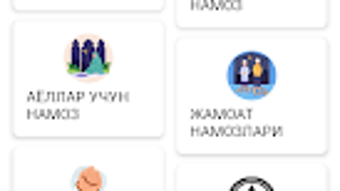
The user interface of Намоз - Namoz is designed with simplicity and functionality in mind. The layout is intuitive, with clear navigation between prayer types, the Qibla finder, and Quran sections. The app uses a clean, minimal design that prioritizes readability and ease of access.
Users can switch between prayer categories with minimal taps, and the search function responds promptly, enabling quick retrieval of specific prayers. The dark mode is seamlessly integrated and can be toggled on or off based on user preference. Performance observations are based on general software behavior patterns; the app runs smoothly on supported Android devices.
The developer did not specify resource usage details, so CPU and RAM behavior remain unknown. However, given the app’s size of 22.3 MB and offline nature, it is likely optimized for efficient operation on mid-range and older Android devices. Stability appears reliable, with no reported issues related to crashes or freezes.
The app maintains consistent responsiveness during navigation and prayer playback, ensuring a seamless user experience across different usage scenarios.
Совместимость и системные требования
Намоз - Namoz is designed for Android operating systems and is compatible with devices running the specified version. The app has a file size of 22.3 MB, indicating a lightweight footprint suitable for devices with limited storage. The developer did not provide additional system requirements, so exact hardware specifications such as minimum RAM or processor speed are unknown.
Compatibility information was partially provided, and users are advised to ensure their device meets general Android compatibility standards. The app functions entirely offline, meaning it does not rely on cloud services or constant internet access. This enhances accessibility and reduces dependency on external infrastructure.
Users should verify that their device supports the required Android version for installation. The application does not require administrative privileges or special permissions beyond standard device access.
Плюсы и минусы
Плюсы
- Completely free to download and use with no in-app purchases or ads.
- Full offline functionality, enabling use without internet access.
- Comprehensive prayer library with accurate recitations and structure.
- Integrated Qibla finder for accurate prayer alignment.
- Dark mode improves usability during nighttime.
- Prayer tracking and favorites features enhance consistency and personalization.
- Lightweight at just 22.3 MB, suitable for low-storage devices.
Минусы
- App is limited to Android platform; no version available for iOS or other systems.
- Exact system requirements were not listed, which may affect installation on older devices.
- Limited to the Books category; lacks advanced features like audio playback or detailed prayer timings.
- No integration with calendar or reminder systems beyond basic tracking.
- UI may feel basic compared to more modern design standards.
Раздел часто задаваемых вопросов
Is Намоз - Namoz available for iOS devices?
The app is currently available only for Android. There is no official version for iOS or other platforms.
Does the app require an internet connection to function?
No, all core features including prayers, Qibla finder, and Quran access work offline. The app does not require an internet connection for daily use.
Is the app safe to download and use?
Yes, the app is free and does not contain malware or intrusive ads. It is developed by Namsa and distributed through official Android channels.
How often are updates released?
Updates are released periodically by the developer. The current version is 1.1.4, and users are encouraged to keep the app updated for optimal performance.
Can I use the app without creating an account?
Yes, the app does not require registration or account creation. All features are accessible immediately after installation.
Заключительные мысли + Призыв к действию
Намоз - Namoz stands out as a reliable, lightweight, and fully offline tool for Muslim users seeking to maintain consistency in their daily prayers. With its prayer library, Qibla finder, and tracking features, it delivers essential functionality without unnecessary complexity. The inclusion of dark mode and a favorites system enhances usability, particularly during late-night prayers.
While the app is limited to Android and lacks advanced features like audio playback or calendar sync, its core purpose is fulfilled effectively. For individuals learning Islam or striving to strengthen their spiritual routine, this app offers a practical and accessible solution. Its free model and offline operation make it a valuable resource for users worldwide.
Download Намоз - Namoz now to enhance your prayer experience with a trusted, secure, and user-friendly tool.







